Krea
Krea/krea-3/Released Oct 2026

Krea 3

Reference-driven image generation and editing

Commercial use
Image
Krea 3

About Krea 3

Krea 3 is Krea's reference-driven image model. It generates from a text prompt alone, or composes and edits from several reference images, keeping products, garments, and characters faithful to their sources.

Reference images are numbered in upload order, and the prompt can point at any of them, such as "the exact headpiece from @Image2". A thinking mode trades speed for more careful planning of complex compositions, and output renders at up to 2K.

See what this model can do

A handful of real prompts and their outputs.
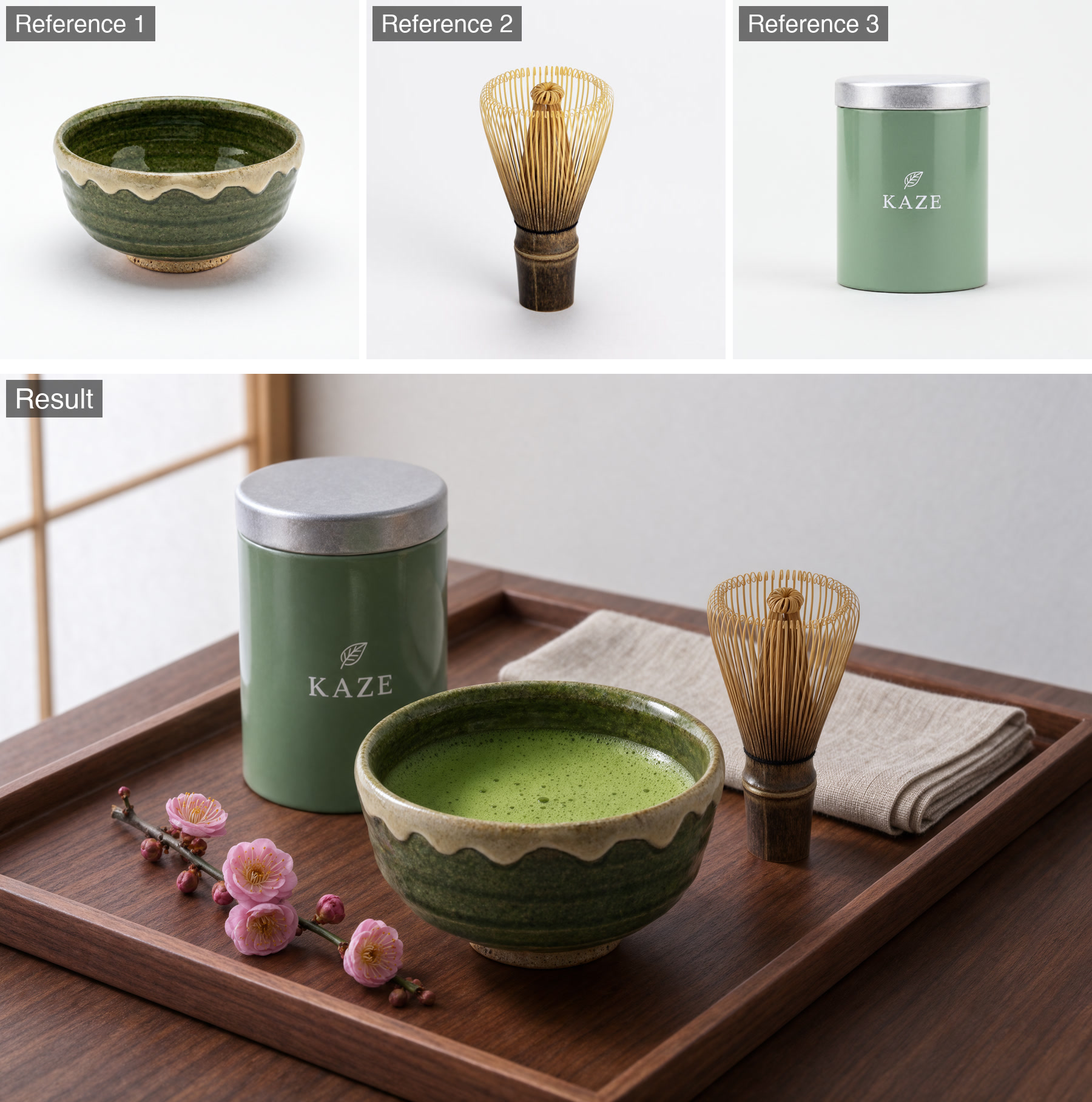
A matcha bowl, bamboo whisk and sage-green tea tin from three reference photos arranged together on a walnut tray with plum blossom.
Multi-Reference
Tea Ceremony Still Life
"Three separate product shots combined into one lit scene, each object and the tin's label kept intact."
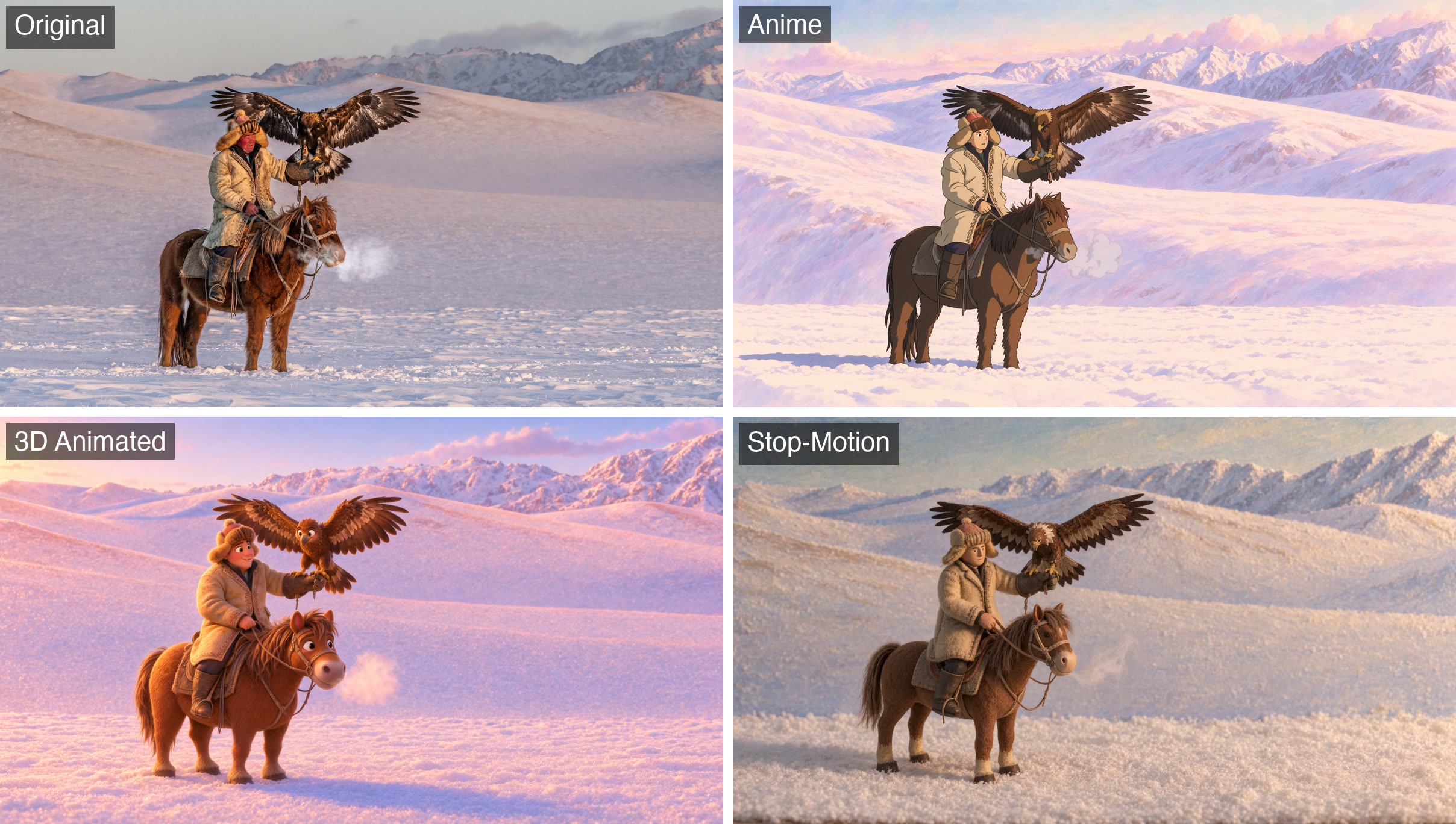
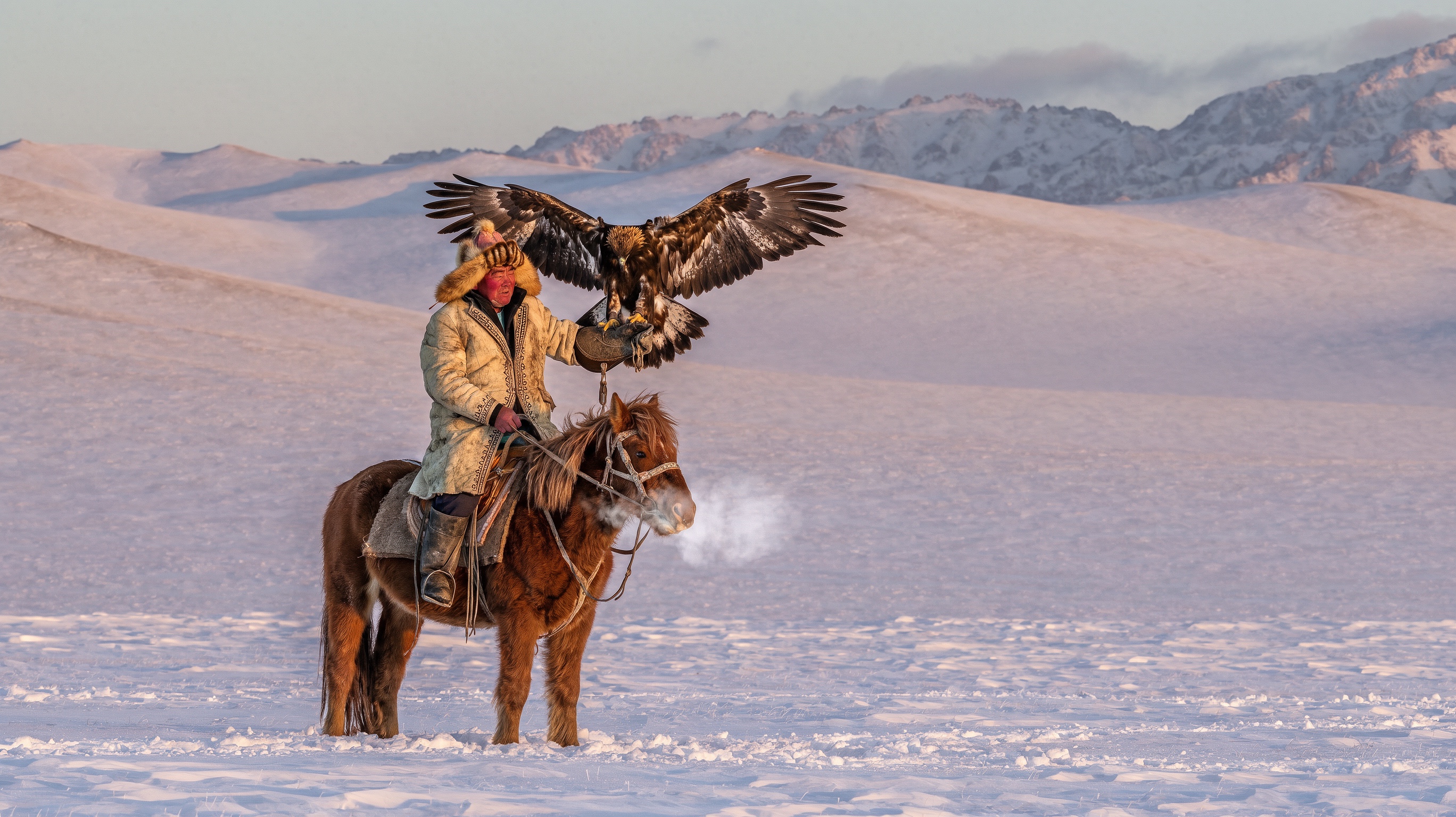
The eagle hunter photo beside three restyled versions of the same frame: a hand-drawn anime frame, a 3D animated film frame and a stop-motion puppet frame.
Animation Styles
One Scene, Three Styles
"One photo restyled as anime, 3D feature and stop-motion frames with the composition held; the prompt shown is the anime pass."
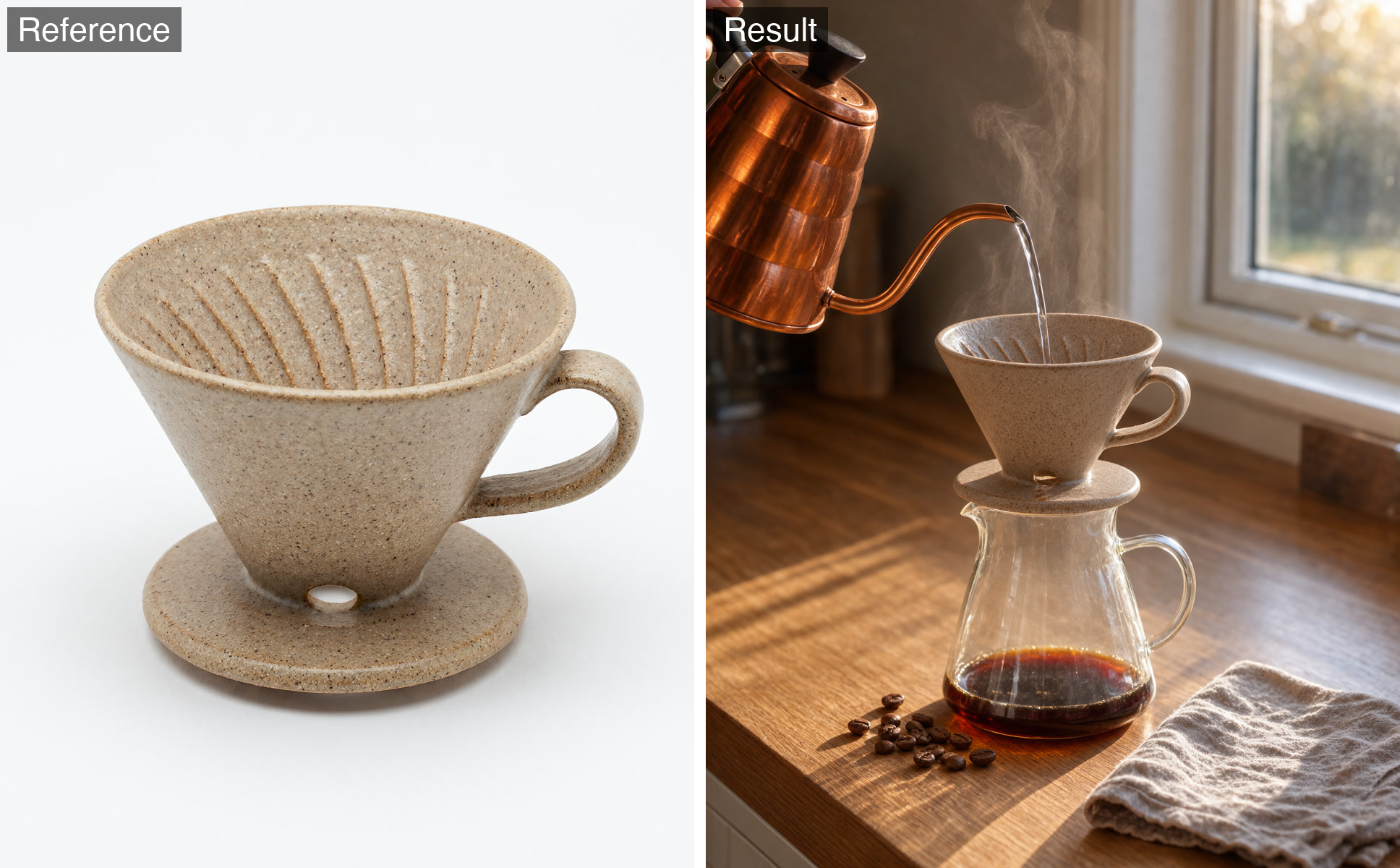
A speckled ceramic coffee dripper from a studio product shot placed on a glass carafe on a sunlit kitchen counter as water pours in.
Product Placement
Morning Pour-Over
"Moves a product from a white backdrop into a styled scene while keeping its glaze, ribs and handle."
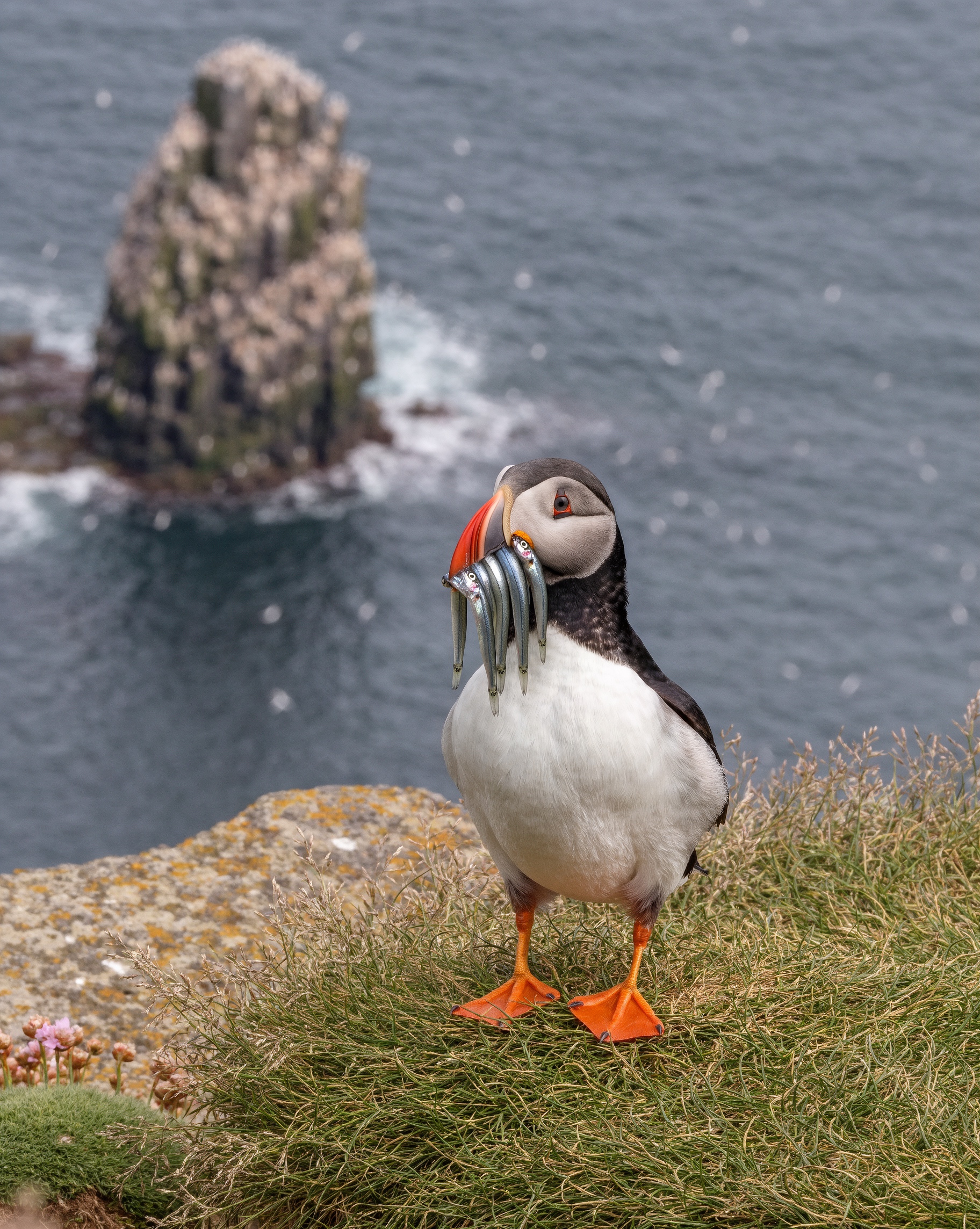
An Atlantic puffin on a grassy cliff edge holding a row of silver sand eels in its striped beak, a sea stack behind.
Wildlife
Puffin's Catch
"Each sand eel distinct, a sharp eye and fine feather detail against a soft sea backdrop."
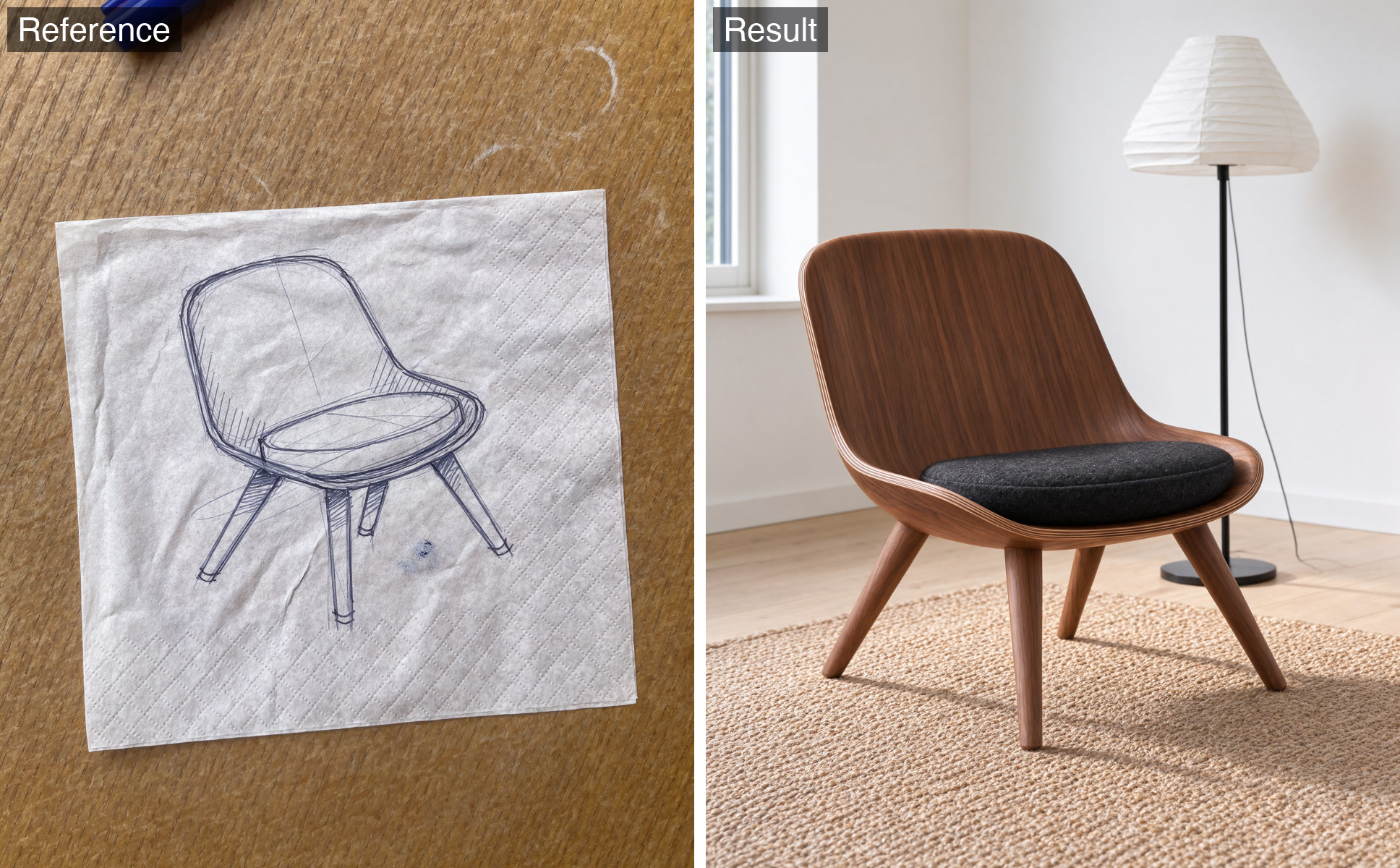
A ballpoint sketch of a lounge chair on a paper napkin beside the finished walnut chair photographed in a bright living room.
Sketch to Render
Napkin to Product
"Turns a rough concept sketch into a photoreal product shot that keeps the drawn silhouette."
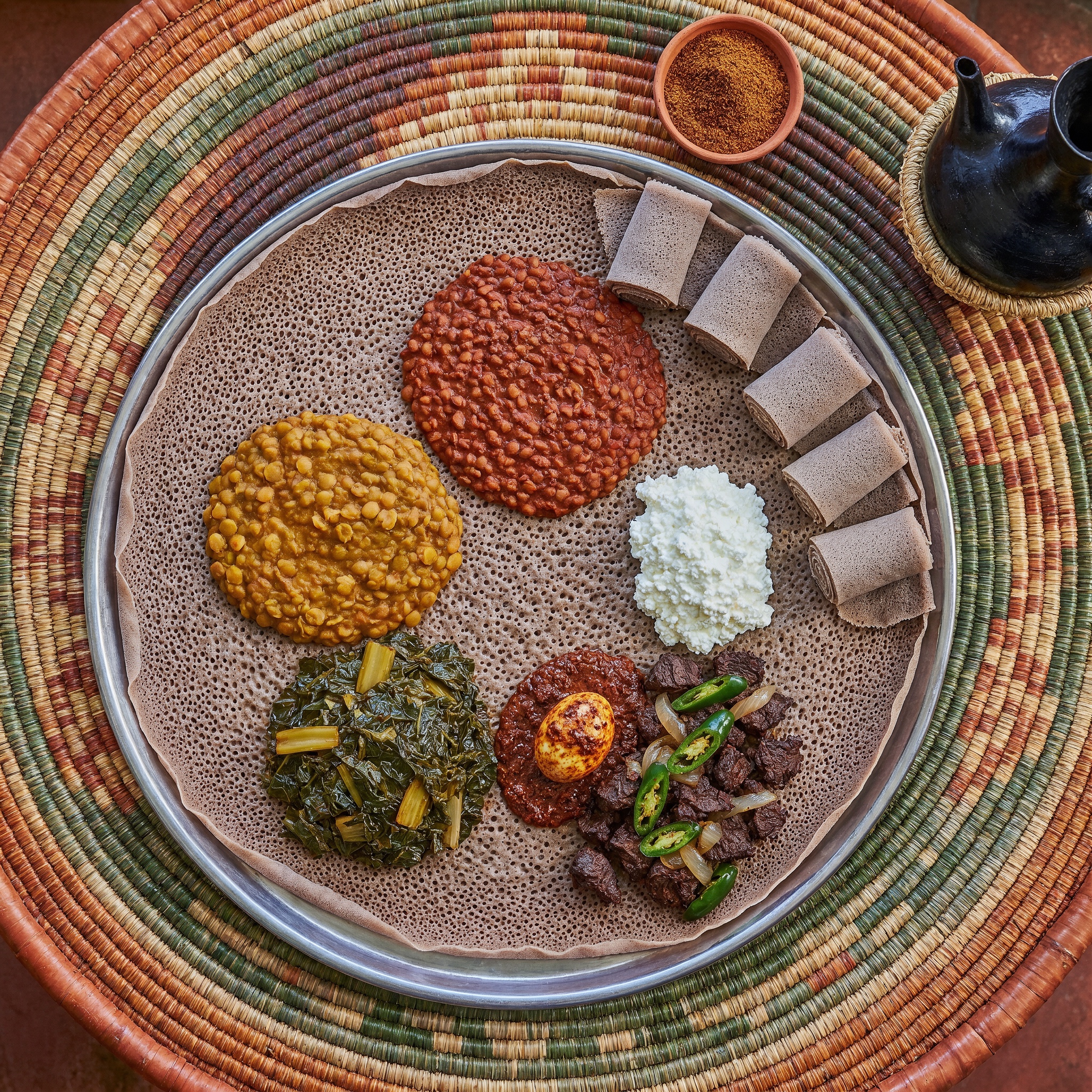
Overhead view of an Ethiopian injera platter topped with lentil, split-pea, collard, beef and egg dishes on a woven basket table.
Food
Injera Platter
"Distinct textures across six dishes, spongy injera and a richly patterned woven basket."
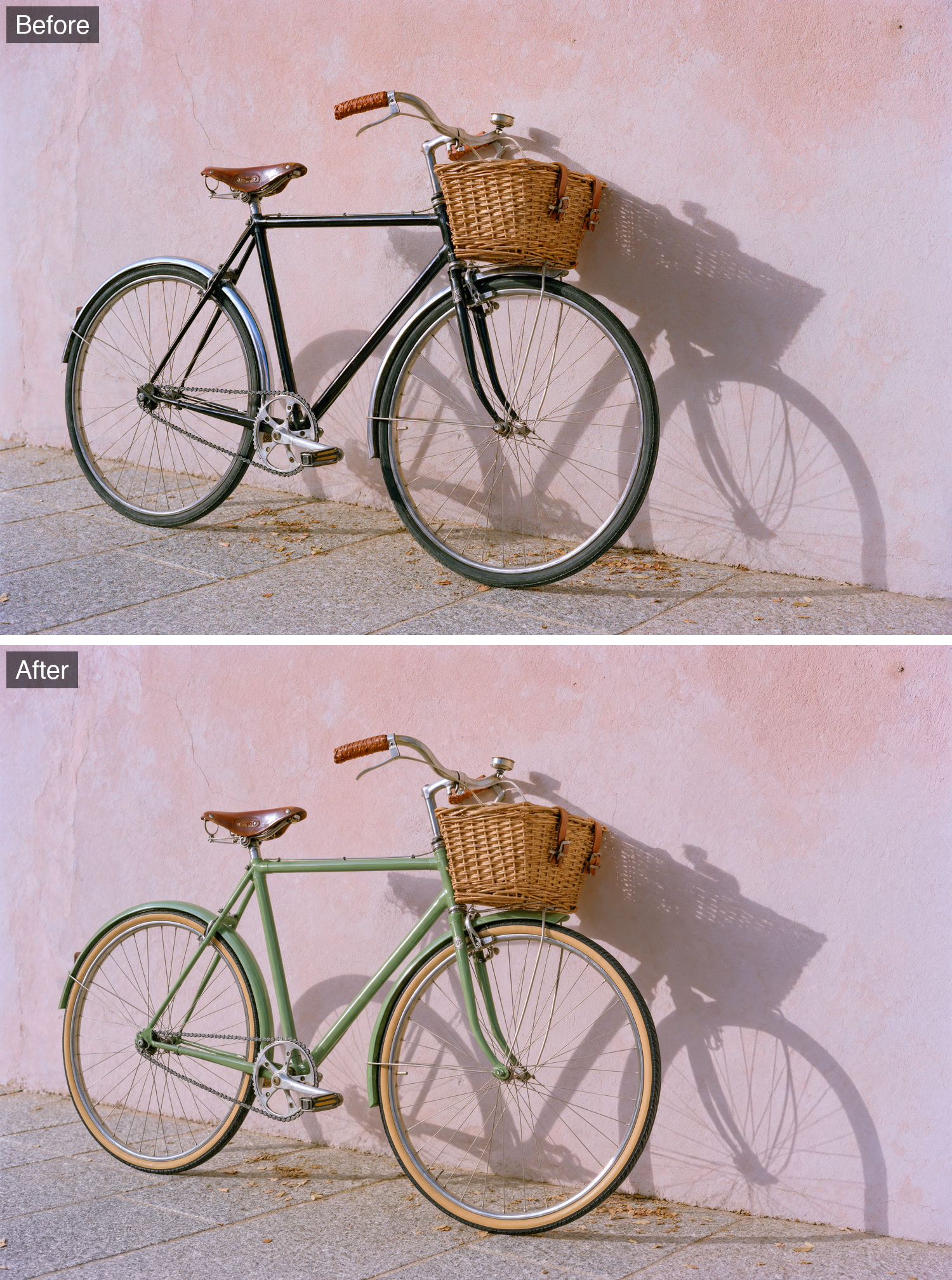
The same city bicycle against a pink wall before and after its black frame is recolored sage green with tan gumwall tyres.
Recolor Edit
Sage Green Bicycle
"A targeted color change that leaves the wall, shadow, basket and lighting untouched."
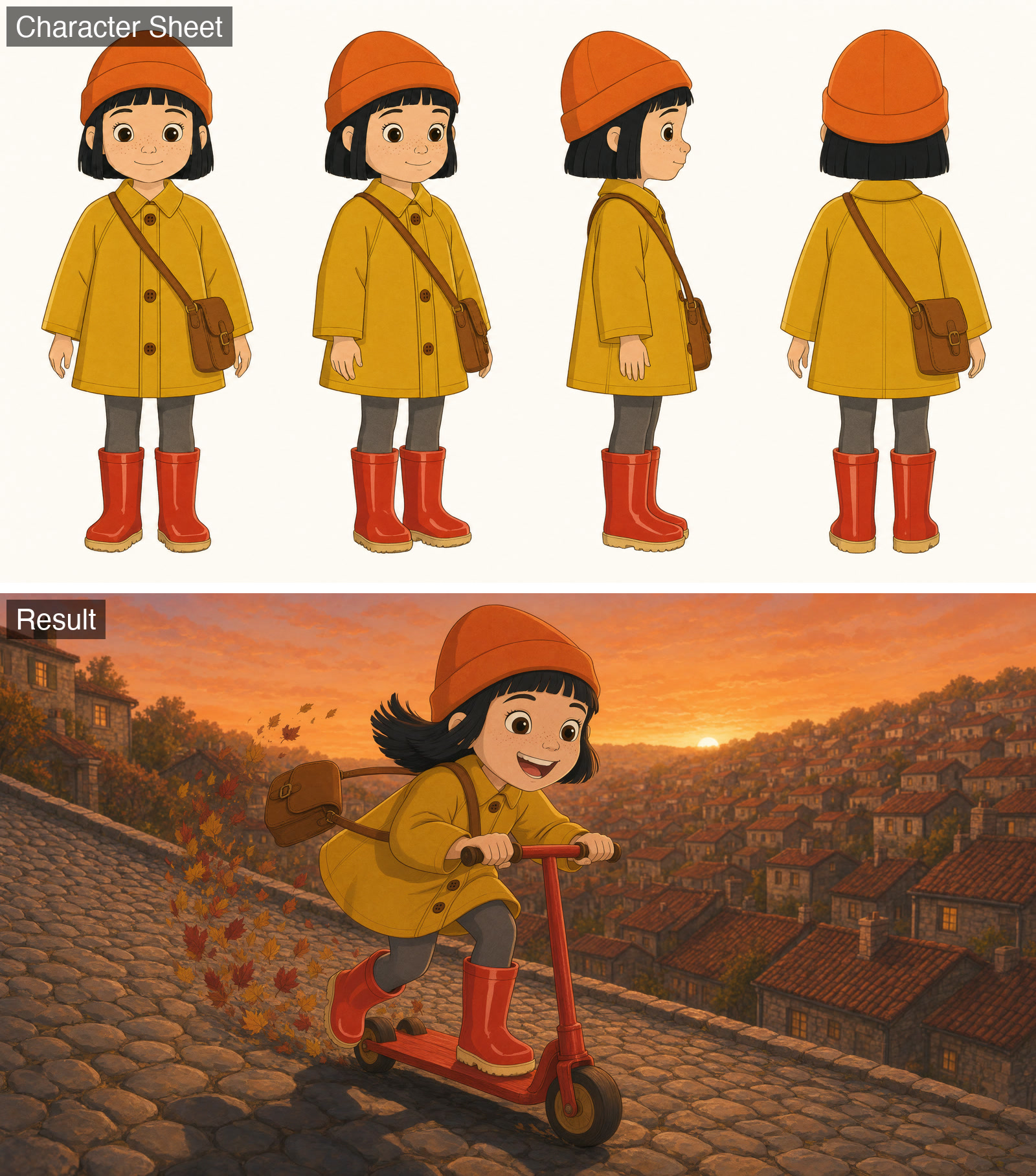
A 2D character turnaround of a girl in a yellow raincoat and orange beanie above a new animated frame of her riding a scooter down a cobblestone hill.
Character Animation
On-Model Character
"Keeps a character on-model from a turnaround sheet in a new action pose, angle and lighting setup."
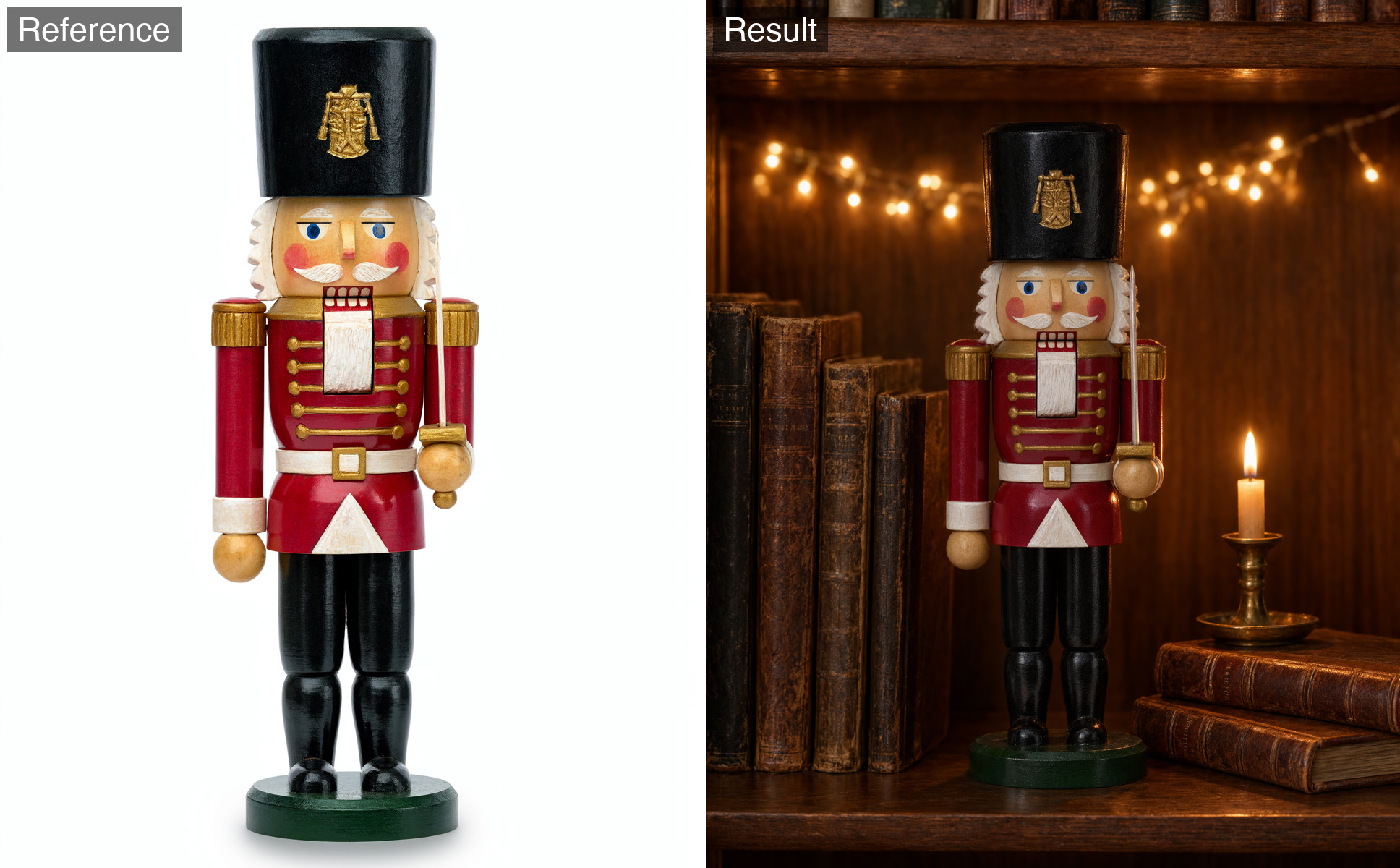
A painted wooden nutcracker soldier from a studio shot placed on a bookshelf among old books, a candle and fairy lights.
Object in Scene
Nutcracker on the Shelf
"Keeps the figure's paint and face exact while relighting it to match a warm evening scene."

Ready to build with Krea 3?

Try Krea 3 in the Workbench to prompt it, compare outputs, and iterate on prompts without writing any code. When you're ready to ship, call the same model from our API and build your own apps on top of it.

curl -sSf -X POST https://hub.oxen.ai/api/ai/images/edit \
    -H "Content-Type: application/json" \
    -H "Authorization: Bearer $OXEN_API_KEY" \
    -d '{
  "model": "krea-3",
  "prompt": "Place the product on a clean studio background with soft shadows",
  "aspect_ratio": "auto",
  "resolution": "2k",
  "thinking_level": "fast",
  "regional_edit": false
}'

Request parameters

Every field Krea 3 accepts in the request body. See the API reference for response formats.

POSThttps://hub.oxen.ai/api/ai/images/edit
FieldTypeRequiredDefaultDescription
promptstringYes
—
Text description of the image to generate, or how to combine and edit the reference images. Use @Image1, @Image2, etc. to reference the input images.
input_imagearray<string>
nullable
No
—
Optional reference images to edit or combine. Leave empty to generate from the prompt alone. Reference them in the prompt as @Image1, @Image2, etc.
aspect_ratiostringNo"auto"
auto1:14:53:42:39:165:44:33:216:921:9
resolutionstringNo"2k"
1k2k
thinking_levelstringNo"fast"High plans complex, multi-step edits more carefully but runs slower and costs more.
fasthigh
regional_editbooleanNofalseChange only the area the prompt names and keep the rest of the reference image exact. Needs a reference image. Experimental: slower, and can be lower quality than a regular edit.
seedinteger
nullable
No
—
Random seed for reproducible generation.